How to Create and Join a Guild, Ranks, and Limits
How guilds work in Palworld: you already run one in singleplayer, how to create or join one in co-op and on a server, the four ranks and their permissions, the 20-member default cap and how to raise it, everything a guild pools, and what you lose the moment you leave.

A guild is the ownership unit in Palworld — bases, base Pals and shared storage belong to the guild rather than to whoever placed them, which is why joining one is the moment a group actually starts playing together. This guide covers creating a guild in singleplayer and in multiplayer, the exact join handshake, the four ranks and what each can touch, the member and base caps plus how a host raises them, and what happens to your stuff when you walk out.
Palworld Guilds at a Glance
The first thing to know is that you never have to "unlock" a guild — a solo world hands you one on arrival with your character as its Guild Master, so every base you plant is already guild property. Multiplayer is where the mechanic becomes visible, because now two people have to agree to share that property. The two numbers that shape a group world are the 20-member default cap and the four base camps a guild gets on default settings, and both are host-side sliders rather than hard limits.
| What | Detail |
|---|---|
| Guild in singleplayer | Already active — you are the Guild Master by default |
| Guild in multiplayer | Created by inviting another player face to face |
| Members (default) | 20 |
| Members (world settings maximum) | 100 |
| Ranks | 4 — Guild Master, Sub Master, Member, Guest |
| Base camps per guild | 4 on default settings, unlocked at base levels 8, 15 and 25 |
| Workers per base | 30 Pals |
| Shared storage | 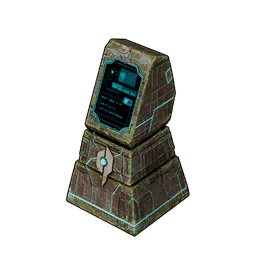 Guild Chest, Technology 41 Guild Chest, Technology 41 |
| Crossplay members | Yes, wherever the session or server has crossplay on |
 How to Create a Guild
There is no guild creation screen and no name-your-clan prompt — a guild in Palworld is created by the act of adding the first other person to it. That means the answer splits depending on how you are playing, and the singleplayer answer is that the job is already done. If you are hosting co-op or you have just walked onto a dedicated server, the guild forms the first time an invite gets accepted, and whoever did the inviting is the Guild Master.
In a Singleplayer World
Nothing to do. Load into a new world and you are running a one-person guild with full Guild Master rights, which is why the Guild Chest and  Dimensional Pal Storage still work for you — both are guild-scoped facilities and a solo guild is still a guild. It also means the base camp cap, the 30-worker limit and every other guild-side rule already applies to a solo save exactly as written above.
In Co-op or on a Server
You need to be physically next to the other player — this is a proximity interaction, not a menu you can drive from across the map. Walk up until the guild prompt appears over them, hold the button the prompt shows, and an accept-or-decline box lands on their screen. Once they take it, the guild exists, they are in it, and every base one of you plants from that point belongs to both of you:
- Get in the same world first. Co-op invite codes cap at 4 players; a dedicated server holds 32. The Palworld multiplayer guide covers which one your group wants.
- Stand next to the player you are inviting. The interaction only fires at close range, so this cannot be done remotely.
- Hold the interact button until the guild option triggers rather than tapping it.
- Wait for them to accept. The prompt is on their side, so nothing happens until they confirm.
- Set their rank afterwards. New members land on the default rank; promote them from the guild menu if they need building or kicking rights.
How to Join Someone Else's Guild
Joining is the same handshake seen from the other side, and it is worth knowing that you cannot force your way in — the invite has to come from someone already inside, and the accept prompt is the only door. Run to them, let them start the interaction, and confirm. The thing new joiners get wrong is expecting their gear to come with them: your character is created fresh in the host's world, so level, tech points, unlocked fast travel and inventory all start at zero regardless of what your solo save looks like.
The one thing that does travel between worlds is Pals. The 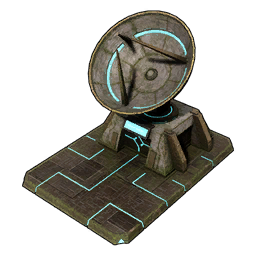 Global Palbox is deliberately cheap and early — Technology 3, 3× Paldium Fragment, 5× Wood and 15× Stone — and it moves a Pal's data across saves, so the practical move before joining a friend's guild is to deposit your best breeding stock at home and pull it out on their server. Full walkthrough in how to use the Global Palbox.
Guild Ranks and Permissions
Four ranks exist, and the important part is that they are not fixed job descriptions — the Guild Master edits what each rank is allowed to do, covering things like approving join requests, removing players and changing other people's ranks. That makes Guest the useful one nobody uses enough: it is the rank for the friend who wants to visit your base without being able to dismantle the smelter or empty the shared chest. Promote deliberately, because a Sub Master with kick rights is a real amount of trust in a world where every structure is communal.
| Rank | Who it is for | What it typically controls |
|---|---|---|
| Guild Master | The founder, or whoever the role was handed to | Everything — rank changes, kicks, join approvals and the permission settings themselves |
| Sub Master | Your deputy while you are offline | Whatever the Master grants, usually invites, kicks and full base access |
| Member | The default rank for a new joiner | Building, base Pals, shared storage — the normal playing-together set |
| Guest | Visitors you do not want touching the base | The restricted rank; hand it out when someone is dropping in briefly |
What a Guild Shares
The split is clean once you see it: anything attached to a base is guild property, and anything attached to your character is yours. That is why guild membership is the real commitment — a member can reassign your workforce, open your chests and pull down a wall you spent an hour on. What stays private is everything on your person, including the Pals riding in your party and the items you drop when you die. Note the Paldex line too, because it is a quiet perk: Pals your guildmates catch register in the shared entries, so a four-person guild fills its Paldex roughly four times faster than a solo run.
| Thing | Guild-wide? | What it means in practice |
|---|---|---|
| Base camps and every structure on them | Yes | Any member can build, use and dismantle — including things you built |
| Base Pals in the Palbox | Yes | Anyone can swap the work roster or take a worker out into the field |
| Guild Chest contents | Yes | The intended communal pool, and shared across every base you place one in |
| Ordinary chests inside a guild base | Yes | Guild members can open them, so treat nothing on a base as private |
| Dimensional Pal Storage | Optional | Guild members deposit and withdraw by default, but it can be flipped to private |
| Paldex entries | Yes | A guildmate's catch counts toward your entries too |
| Your inventory and party Pals | No | Stays on your character, including through a death |
| Your level, tech points and fast travel | No | Tracked per player — a new member unlocks every warp point on foot |
Guild Member and Base Limits
Both caps live in the world settings, so they are decided by whoever hosts and are awkward to argue about later. The member cap starts at 20 and the slider goes to 100, which is far beyond what a 32-player dedicated server can hold at once — useful only if you are running a community server with a rotating roster. The base cap is the one that actually bites: four base camps for a whole guild is the same allowance a solo player gets, so a four-person group is choosing one plot each with nothing spare. Raising it is the fix, and a host can push it to ten.
| Limit | Default | Ceiling in world settings | Why you would change it |
|---|---|---|---|
| Guild members | 20 | 100 | Only worth it on a big community server; 20 covers any normal group |
| Guild base camps | 4 | 10 | The common change — four bases split between four people is genuinely tight |
| Workers per base | 30 Pals | Host adjustable | More workers means more base lag, so raise this one carefully |
If you leave the base cap alone, specialise instead of spreading out: one ranch and food base, one parked on ore, one crafting hub holding everyone's stations, and one kept clear for raids. Base camps unlock at base levels 8, 15 and 25, so a young guild is working out of a single plot for a while regardless of the setting. Node counts and coordinates for each candidate plot are in the best base locations guide, and every base level reward lists what each level actually hands over.
Guild Facilities Worth Building Early
A handful of structures only make sense once more than one person shares a base, and they are spread right across the tech tree. The 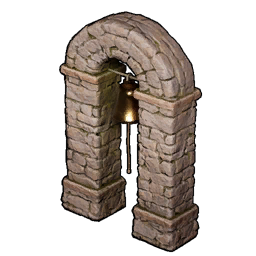 Alarm Bell is the cheapest and the most neglected — Technology 7 for 5× Paldium Fragment and 20× Stone — and in a group world it is the difference between the one person home recalling the workforce to fight and a raid eating an undefended base while everyone else is three regions away. At the far end, the Guild Chest at Technology 41 is the payoff: one shared inventory readable from every base your guild owns, which turns four separate stockpiles into one supply chain.
| Structure | Tech | Cost | Why a guild wants it |
|---|---|---|---|
| Palbox | 2 | 1× Paldium Fragment, 8× Wood, 3× Stone | Defines the base itself — placing one is how a guild claims a plot |
| Global Palbox | 3 | 3× Paldium Fragment, 5× Wood, 15× Stone | The only way to bring Pals from your own save into someone else's guild |
| Alarm Bell | 7 | 5× Paldium Fragment, 20× Stone | Lets whoever is online switch the base Pals from working to fighting |
| Dimensional Pal Storage | 20 | 20× Ingot, 40× Paldium Fragment, 5× Ancient Civilization Parts | Bulk Pal storage any member can pull from, or lock to private |
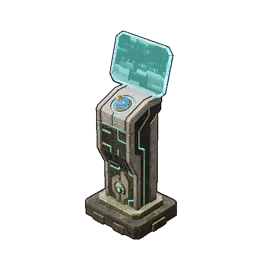 Palbox Control Device Palbox Control Device | 32 | 20× Ingot, 30× Paldium Fragment | Remote Palbox access, so members can manage the roster away from the box |
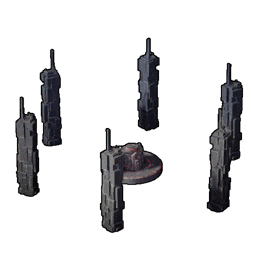 Summoning Altar Summoning Altar | 33 | 100× Stone, 20× Paldium Fragment | Raid bosses are the content built for a party — this is where you fight them |
| Guild Chest | 41 | 50× Refined Ingot, 100× Paldium Fragment, 10× Ancient Civilization Parts | One shared item pool across every base the guild owns |
Two of those costs are worth flagging. The Guild Chest is an ancient technology, so it spends 4 Ancient Technology Points rather than ordinary tech points, and those only come from first-time boss kills — the full Guild Chest breakdown covers where to find them if your group is short. The Summoning Altar is the cheapest thing on this list relative to what it unlocks, which is why groups that skip it end up short on Ancient Civilization Core compared to guilds that run raid bosses on a rotation.
How to Leave a Guild
Leaving is a single button in the guild menu, and it is instant with no confirmation window worth relying on. The consequence is bigger than people expect: the moment you are out, every guild base locks you out too. That includes the Palbox holding the Pals you personally caught, every chest you filled and every station you built, because none of it was ever yours individually. Rejoining the same guild restores access to all of it, so an accidental exit is recoverable — but only if the guild will have you back.
So do the prep first. Move anything you want to keep into your own inventory, and move the Pals you care about into the Global Palbox rather than leaving them in the base Palbox — global storage follows your character across worlds, the guild's Palbox does not. If you are leaving to start your own guild in the same world, you also start from zero base camps, so scout the plot before you press the button rather than after.
Summary
Singleplayer already has you running a guild as its Master, so "creating" one only means something in multiplayer: stand next to another player, hold the interact button, and wait for them to accept. From there the guild owns the bases, the base Pals and the shared chests while your level, inventory and party stay personal. Default caps are 20 members and 4 base camps, raisable to 100 and 10 in world settings, and the ranks — Guild Master, Sub Master, Member, Guest — exist so you can hand out base access without handing out kick rights. Leave and you lose every base facility until you rejoin, so move your Pals to the Global Palbox first.
Related Guides
Playing with other people:
Bases and shared infrastructure: