Palworld Multiplayer Guide: Co-op, Crossplay, and Servers
How Palworld multiplayer works in 1.0 — hosting a 4-player co-op session with an invite code, running a 32-player dedicated server, which platforms share a world, what a guild actually shares, the raid bosses built for a party, and the world settings a host should fix before anyone connects.
Palworld multiplayer runs on two completely different tracks: a co-op session you open straight from your own save and hand out as an invite code, and a dedicated server that stays up whether or not you are logged in. This guide covers both — how many people each one holds, how to host and join, which platforms can share a world, what a guild pools and what stays yours, the raid bosses that only make sense with a party, and the settings a host should sort out before anyone else connects.
Palworld Multiplayer at a Glance
The number that decides everything is the player cap. An invite-code session tops out at 4 players because it is literally the host's single-player world with the doors open — when the host quits, the world goes with them. A dedicated server is a separate free program with its own copy of the world, holds 32 players by default, and keeps ticking overnight so your base Pals keep working. Pick co-op if you and three friends want to run the story together; pick a dedicated server the moment you need a fifth person, want the world persistent, or want the host to be able to log off.
| Setup | Players | How people get in | World keeps running without the host? | Best for |
|---|---|---|---|---|
| Solo world | 1 | Not applicable — multiplayer stays off | No | Your own save, no invite code generated |
| Co-op session (invite code) | Up to 4 | Host generates an invite code and shares it | No — the session closes when the host leaves | A small group playing through together |
| Dedicated server | Up to 32 | Server address (plus password, if the host set one) | Yes — it runs as its own program | Persistent group worlds, big guild projects, overnight base work |
 How to Play Co-op With Friends
Co-op is the fastest route and the one most groups start on, because there is nothing to install and no port to open. The one thing that trips people up is order of operations: multiplayer has to be switched on for the world before the invite code exists, and it is a per-world setting, not a global one. If your options menu is showing no code, that is almost always why — you are sitting in a world that was created as single-player.
Hosting a Session and Getting the Invite Code
Steps, in order:
- Turn multiplayer on for the world. Do it when you create the world, or edit the world's settings from the title screen if it already exists.
- Load in and open the options menu. The invite code sits there while you are in the world.
- Generate the code and send it out. It identifies your session, so treat it like a password — anyone holding it can walk into your base.
- Stay in the world. You are the server. Quitting to the title screen ends the session for everybody.
Joining Someone Else's World
Guests pick the join-by-invite-code option from the title screen and paste the host's code in. Your character is created fresh inside that world — level, gear, tech points and caught Pals all start from zero, because a Palworld character belongs to the world it was made in and not to your account. That catches out everyone who assumed their level 50 main would walk in ready to fight. The only thing that crosses over is Pals you deliberately move through the Global Palbox further down this page, and even that copies the Pal rather than your progress.
Dedicated Servers: Up to 32 Players
A dedicated server is a separate free download listed under Tools, with its own app ID — 2394010 — and its own version number that does not move when your game updates. That independence is the whole point: the world lives on the server's disk, so your base Pals keep mining while everyone sleeps, and nobody is stuck waiting for one specific person to come online. It is also the only way past four players, and it is what you want if the group's plan involves the four-base cap, big guild builds, or a raid roster that rotates.
The cost is maintenance. The server will happily keep serving last month's build after everyone's game has patched, and the symptom is a version mismatch that locks the whole group out of a world that worked yesterday — the exact commands to fix that, on Windows and Linux, are in the Palworld dedicated server update guide, along with the folders to back up first. Rented hosts fold most of this into a control panel, but the update still has to actually be triggered.
Crossplay: Which Platforms Share a World
Crossplay is on across the board, so a Steam player, an Xbox player, a PlayStation 5 player and a Mac player can sit in the same session or the same server without anyone buying a second copy. Both routes support it — the invite code is not platform-locked, and a dedicated server accepts mixed platforms unless the host chooses to restrict it. What crossplay does not do is move your character: a save belongs to the world it was created in, so switching platforms means starting again in that world, and the Global Palbox is the only bridge for the Pals themselves.
| Platform | Invite-code co-op | Dedicated servers | Notes |
|---|---|---|---|
| Steam (PC) | Yes | Yes | The only platform that can also run the server tool itself |
| Xbox / PC Game Pass | Yes | Yes | Same worlds as Steam players |
| PlayStation 5 | Yes | Yes | Updates come through the console store, so patch before rejoining |
| Mac | Yes | Yes | Joins the same crossplay pool as everyone else |
 Guilds: What Your Group Shares
A guild is the ownership unit in multiplayer — bases, base Pals and the structures on them belong to the guild, not to whoever placed them, which is why joining one is the real "we are playing together now" moment. Your own inventory, your character's level and the Pals in your party stay individually yours. The shared half is where the friction lives: anyone in the guild can pull from the guild's storage and reassign the base workforce, so decide early whether you are a four-person guild or four separate guilds cohabiting.
| Thing | Shared with the guild? | What that means in practice |
|---|---|---|
| Bases and everything built on them | Yes | Any member can build, dismantle and use the stations |
| Base Pals in the Palbox | Yes | Anyone can reassign the workforce or pull a worker out to fight |
| Guild Chest contents | Yes | Deliberate shared storage — the group's material pool |
| Regular chests in a guild base | Yes | Guild members can open them, so it is not private storage |
| Your inventory and party Pals | No | Stays with your character, including on death |
| Your level, tech points and unlocks | No | Everyone researches their own tech tree |
The Guild Chest is the piece worth planning for. It unlocks at Technology 41 and costs 50× Refined Ingot, 100× Paldium Fragment and 10× Ancient Civilization Parts, which puts it firmly in mid-to-late game territory — long after the point where your group starts needing one. Until it is up, the usual workaround is one agreed "communal" chest by the crafting stations and an honour system about the rest.
 Bases in a Multiplayer World
Base slots do not scale with the size of your group — a guild gets the same four base camps on default world settings that a solo player does, unlocking at base levels 8, 15 and 25, with the worker cap topping out at 30 Pals per base. Four bases split between four people is tight, so the groups that make it work specialise: one food and ranch base, one mining base, one crafting hub with everyone's stations, and one kept free for raids. A dedicated host can raise the base cap in the world options if your group would rather everyone have their own plot. Coordinates and node counts for the best spots are in the best base locations guide.
One multiplayer-specific job: put an 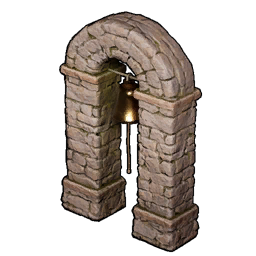 Alarm Bell down early. It is cheap — Technology 7, 5× Paldium Fragment and 20× Stone — and it lets whoever is home recall the base Pals to defend when a raid hits a base the rest of the guild is nowhere near. In a group world, base attacks reliably land while the people who built the place are three regions away.
 Raid Bosses: The Content Built for a Party
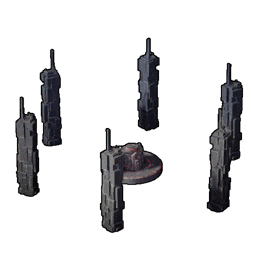
Raid bosses are the clearest argument for playing with other people. You build a Summoning Altar in your base — Technology 33, 100× Stone and 20× Paldium Fragment — feed it a slab, and fight something with raid-scaled HP that will grind a solo player down long before the timer helps them. Every one of these pays out Ancient Civilization Cores at 100%, which is the material gating your best late-game crafts, so a group with a working raid rotation stops being short on cores permanently.
| Raid boss | Level | Slab needed | Guaranteed haul | Why bring a party |
|---|---|---|---|---|
 Bellanoir Bellanoir | 35 |  Bellanoir's Slab Bellanoir's Slab | 1× Dark Skill Fruit: Apocalypse, up to 3× Ancient Civilization Core, up to 5× Training Manual (XL) | The entry raid — the earliest guaranteed Apocalypse fruit in the game |
 Bellanoir Libero Bellanoir Libero | 45 | 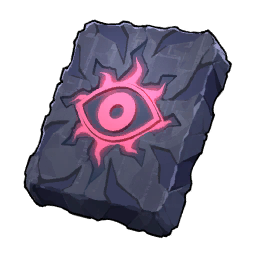 Bellanoir Libero's Slab Bellanoir Libero's Slab | Up to 4× Ancient Civilization Core, 1× Ultra Slab, up to 6× Training Manual (XL) | Shifts element mid-fight and freezes everyone stacked together |
 Blazamut Ryu Blazamut Ryu | 55 | 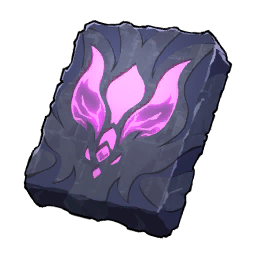 Blazamut Ryu Slab Blazamut Ryu Slab | Up to 4× Ancient Civilization Core, 1× Ultra Slab, up to 7× Training Manual (XL) | Hits hard enough that someone needs to be pulling aggro off the damage dealers |
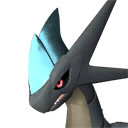 Xenolord Xenolord | 65 | 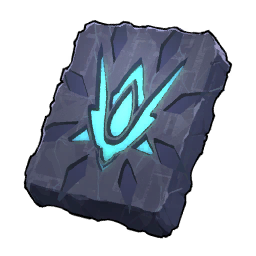 Xenolord Slab Xenolord Slab | Up to 6× Ancient Civilization Core, 1× Ultra Slab, up to 5× Training Crystal | The core payout jumps here — best cores-per-run before the level 80 tier |
 Hartalis Hartalis | 70 | 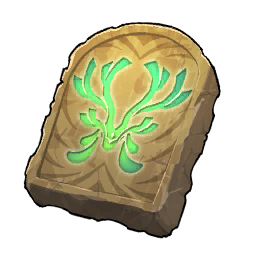 Hartalis Slab Hartalis Slab | Up to 7× Ancient Civilization Core, 1× Ultra Slab, up to 6× Training Crystal | The hardest of the standard tier and the last step before Ultra slabs |
Every one of those has an Ultra version at level 80 that drops 10× Ancient Civilization Core and 10× Training Crystal per clear, plus cosmetic rewards like the Witch's Crown and Horns of Supremacy — and each standard clear hands you the Ultra slab for the next tier, so the ladder feeds itself. Ultra raids are where a party stops being an optimisation and starts being a requirement. Work through the raid boss overview for the scaling multipliers, or the per-boss breakdowns for Bellanoir Libero, Blazamut Ryu, Xenolord and Hartalis. There is also a separate Celestial Sigil raid at level 50 that pays cores and can drop a legendary weapon at 22%.
 Move Pals Between Worlds With the Global Palbox
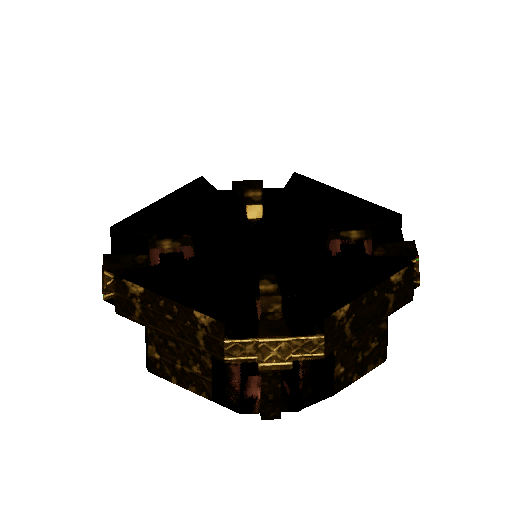
The Global Palbox is the one thing that travels between worlds, and it is deliberately cheap and early: Technology 3, 3× Paldium Fragment, 5× Wood and 15× Stone. Drop a Pal into it and the game stores that Pal's genetic data, then lets you rebuild it in another world — the original is not consumed, so the Pal you saved is still standing in your base afterwards. The catch is that a world will not accept two copies of the same stored Pal, so it is a transfer tool, not a duplication machine.
That makes it the practical answer to "I have to start from scratch on my friend's server". You cannot bring your level or your gear, but you can bring the perfect-passive breeding project you spent a week on — which, given how much of Palworld's power sits in IVs, passives and condensing, covers most of the gap. On a dedicated server the host controls this: saving out and loading in are separate toggles, and both worlds have to allow it, so check with your host before you plan a whole roster around it.
 Fast Travel, Respawns, and Regrouping
Fast travel points are unlocked per player, not per guild, so the friend who joined last night cannot warp to the volcano just because you can — they have to walk it once like everyone else. Plan the first few sessions around that: run to statues together, and the group's map fills out at the same rate. Palpagos has 137 fast travel points plus 15 more up in the World Tree, which you can turn on with the fast travel layer of the interactive map before anyone sets off.
Two other layers matter in a group world. The 12 respawn statues decide where a wipe drops you, which is worth checking before a party pushes into a region nobody has unlocked — dying out there can mean a very long walk back with your items still on the ground. And the map marks 16 summoning altar sites if your group would rather fight raids away from a base full of breakable furniture. Your own base doubles as a warp point either way, so a well-placed guild base is worth a statue.
Settings a Host Should Set Before Anyone Joins
Get these right on day one, because several of them are awkward to change once people have invested hours. The death penalty is the big one in multiplayer — the harshest option drops the Pals you were carrying, which in a group world means someone's whole team lying in a cave nobody can reach. Rates matter more than solo players expect too: four people hitting the same nodes strips a base area fast, so a slightly raised gather rate keeps the world from feeling farmed out. On a dedicated server all of this lives in PalWorldSettings.ini, which is one of the files worth backing up before any update.
| Setting | What it changes | What groups usually do |
|---|---|---|
| Death penalty | How much you drop when you die — nothing, items, items and gear, or everything including Pals | Drop items only, so a bad raid does not cost someone their team |
| Max players | The server's slot count, up to 32 | Set it to the real roster plus a couple of spares |
| Player-to-player damage | Whether guild members and outsiders can hurt each other | Off unless the group actually wants to fight each other |
| EXP and gather rates | Levelling speed and how much every node yields | Slightly raised — four people share the same finite nodes |
| Capture rate | Odds on every sphere thrown | Left alone; raise it only if the group hates grinding for a roster |
| Base camp count | How many bases a guild can plant, four by default | Raised on servers where everyone wants their own plot |
| Global Palbox import / export | Whether Pals can be loaded in or saved out on this server | Import off on fresh-start servers to keep everyone level |
 Multiplayer Bugs Fixed in 1.0.2
If your group shelved something because it kept breaking, version 1.0.2 is worth a second look — it was a repair patch and most of what it repaired was multiplayer. The Panthalus fight was dropping whole parties off dedicated servers mid-battle and could crash the game outright; both are fixed, so that encounter is queueable again. Guests loading in while the host was already inside the World Tree were landing on broken terrain, and guest respawn lighting during the final boss displayed wrong. The full 1.0.2 patch notes have the rest, and it is worth confirming your server is actually on that build.
Summary
Four players and a temporary world means co-op with an invite code; anything more than four, or a world that should keep running when you log off, means a dedicated server. Crossplay works everywhere, characters do not travel between worlds but Pals can via the Global Palbox, and a guild pools bases, base Pals and the Guild Chest while leaving your inventory and level alone. Set the death penalty before anyone invests hours, put an Alarm Bell in the shared base, and point the group at raid bosses — that is the content the game clearly built for a party, and it is the fastest Ancient Civilization Core income in the game.
Related Guides
- All Palworld guides
- Palworld interactive map
- All raid bosses and their multipliers
- How to Update Your Palworld Server and Fix Version Mismatch
- Best Base Locations in Palworld 1.0
- Best Team Comps: Boss Killer, Explorer, and Farming Teams
- Palworld 1.0 Endgame Checklist
- Palworld Day One Checklist
- Palworld 1.0.2 Patch Notes
- Pal Expeditions and rewards