Palworld 1.0.5 Patch Notes: Texture and Map Filter Fixes
Palworld 1.0.5 went live September 15, 2026 on every platform. It is a two-line patch: terrain and building textures no longer load at reduced resolution, and map icon filters stop switching themselves off when you respawn. Here is what changed and what to check after updating.
Version 1.0.5 is live eight days after 1.0.4, and it is the shortest set of patch notes the game has shipped since launch — two bug fixes, no balance changes, nothing new to farm. Both are still worth knowing about: one was quietly making the whole island look worse than it actually is, and the other was wiping your map filters every time you died.
Palworld 1.0.5 Release Date and Platforms
The patch went out on September 15, 2026 for all supported platforms. Nothing in it touches a stat, a build cost or an unlock level, so every number in your plan still holds and there is no reason to hesitate before installing. The only group that needs to coordinate is dedicated-server players — host and clients have to sit on the same build string before anyone can connect, and that is covered in our guide to updating a Palworld server.
| Detail | 1.0.5 |
|---|---|
| Version | 1.0.5 |
| Released | September 15, 2026 |
| Platforms | Steam, PS5, Xbox Series X|S, Xbox One / One S, Game Pass |
| Type | Bug fixes only |
| Entries in the notes | 2 |
| Balance changes | None |
| New Pals, region or gear | None |
| Previous build | 1.0.4 — September 7, 2026 |
| Save-safe | Yes — no stats, costs or unlock levels moved |
Everything in the 1.0.5 Patch Notes
Two entries, both filed under bug fixes. The texture one is the more visible of the pair and the more embarrassing — for the players it hit, terrain and buildings were rendering at a fraction of their real detail no matter how high the graphics preset was set. The map filter one is the more annoying, because it undid work you had already done, over and over, on a schedule set by how often you die. Neither had a workaround before now.
| Fix | What was going wrong | Who it hit |
|---|---|---|
| Texture resolution | Terrain, building and other textures could load at significantly reduced resolution | Some players only — it was not tied to your quality settings |
| Map icon filters | Some map icon filters could switch themselves off after you respawned | Anyone who dies, which on a 90-alpha map is everyone |
Low-Resolution Textures on Terrain and Buildings
This is the fix that changes how the game looks rather than how it plays. Affected players were getting blurred, flat-looking ground, rock faces and base walls that never sharpened up, and because it was not caused by a setting, turning texture quality to its highest option did nothing at all. If you had shrugged and assumed your machine was simply below the bar, this is worth a second look — the island reads very differently when the terrain is at full detail.
The tell that you were affected is contrast between surfaces: crisp Pal models and interface elements sitting on top of mushy ground and building textures. If you still see that after updating, work through the list below before you start changing settings. Blurred textures that persist across a full restart are usually a broken install rather than a hardware limit, and our Palworld PC system requirements page is the place to check whether your build was ever expected to run the higher presets in the first place.
| If it still looks low-res | What to do | Why |
|---|---|---|
| Check the build number | Confirm you are actually on 1.0.5, not a queued download | Stores routinely schedule updates for later instead of applying them |
| Fully close and relaunch | Quit to desktop rather than reloading the save | Textures are re-streamed from scratch on a cold start |
| Verify your game files | Steam's integrity check on the Palworld install | A partial or interrupted patch is the most common cause left |
| Watch your VRAM headroom | Drop shadow and effect quality before texture quality | Texture detail is the first thing to degrade when a card runs out of memory |
| Rule out add-ons | Disable anything that replaces art or shaders, then retest | Covered in Best Palworld Mods: Graphics, QoL, and How to Install |
 Map Icon Filters Turning Off After Respawn
This is the entry that actually cost people time. Palworld's in-game map is dense enough that filters are not a convenience, they are the only way to read it — you switch off the categories you are not working on so the handful of pins you care about are visible. The bug undid that silently on respawn, so you would die to an alpha, reappear at a statue, open the map to plan your walk back, and find categories you had turned off hours ago switched on again.
The frequency is the problem. There are 12 respawn statues on Palpagos and 90 alpha Pals in the field running from level 11 all the way to level 79, so dying is not an occasional event in this game — it is the loop. Every one of those deaths reset work you had to redo by hand. If you came back to a run and could not work out why your map kept looking cluttered again, this was why, and it is gone as of 1.0.5. Recovering your corpse afterwards is a separate problem, and how to keep items on death covers the settings that make it a non-issue.
| Situation | Before 1.0.5 | After 1.0.5 |
|---|---|---|
| Die to an alpha and respawn | Some icon filters flip back on | Your filter setup survives |
| Long farming session with several deaths | Re-filter the map after each one | Set it once |
| Hunting one resource on a busy map | Pins you hid reappear over the ones you want | The map stays readable |
| Your saved filter choices | Not reliably kept across a death | Kept |
 Every Map Filter Category and How Many Pins It Hides
Filtering matters in Palworld because the world is not lightly decorated. Our interactive Palworld map carries 40,924 pins across 75 layers, sorted into seven categories, and switching all of them on at once produces a solid sheet of icons rather than a map. The table below is the whole taxonomy with its real weight, so you can see which categories are the ones that swamp everything else — Resources and Loot alone are 94% of every pin on the board.
| Category | Layers | Pins | What's in it | Open it |
|---|---|---|---|---|
| Resources | 18 | 26,633 | Ore, wood, stone, berries, mushrooms, quartz and oil fields | Ore nodes on the map |
| Loot | 27 | 11,908 | Chests, caches, egg nests, hack terminals, oil rig crates | Treasure chests on the map |
| Collectibles | 8 | 1,406 | Stat lotuses, effigies, skill fruit trees, journals, kinship fruit | Pal Effigies on the map |
| Wildlife | 4 | 546 | Standard and rare fishing spots | Fishing spots on the map |
| Travel | 13 | 346 | Fast travel points, dungeon entrances, respawn statues, merchants | Fast travel points on the map |
| Danger | 2 | 58 | Enemy camps and sea base camps | Enemy camps on the map |
| Bosses | 3 | 27 | Tower bosses and raid summoning altars | Raid altars and tower bosses |
The lopsidedness is the whole argument for filters. Rock alone is 8,157 pins and lumber another 4,654 — leave those two on while you are hunting something rare and you will not see it. The right habit is the opposite of what most people do: run with almost everything off, switch on the one or two layers your current job needs, then switch them back off. Ten of the 75 layers sit in the World Tree rather than on Palpagos, so if a category looks empty, check you are on the right region before assuming the pins are missing.
The Filters Worth Turning On First
Not every layer earns screen space. These are the ones that pay for the clutter they add, ranked by how much of your progression they unblock rather than by how many pins they hold. Fast travel is the one to leave on permanently — it is the layer every other plan routes through. Effigies and lotuses are the two that most players never systematically clear and then wonder why their character feels weak, and skill fruit trees are the smallest, highest-value layer on the board at 47 pins total.
| Filter | Pins | Why turn it on | Open it |
|---|---|---|---|
| Fast Travel Points | 137 + 15 in the World Tree | Every route you plan starts and ends at one; unlocking them is the cheapest travel upgrade in the game | Fast travel layer · full list |
 Pal Effigies Pal Effigies | 360 + 47 in the World Tree | They feed the player upgrade tracks — capture rate, sphere homing and the rest — and nothing else does | Effigy layer · every upgrade track |
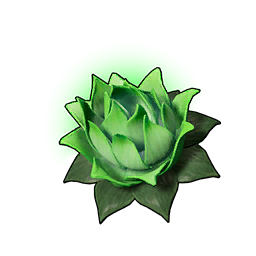 Stat Lotuses Stat Lotuses | 866 | Permanent character stat gains lying on the ground; the single largest collectible layer in the game | Stat lotus layer |
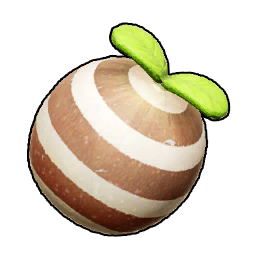 Skill Fruit Trees Skill Fruit Trees | 35 + 12 in the World Tree | The only field source of skill fruits, and the smallest layer worth clearing end to end | Skill fruit layer · what each tree drops |
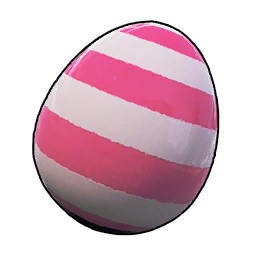 Pal Egg Nests Pal Egg Nests | 1,786 + 30 in the World Tree | Four grades of nest; the grade 4 layer is only 26 pins, so it is worth hunting deliberately | Egg nest layers · farm routes |
| Treasure Chests | 1,521 + 38 in the World Tree | Includes the 109 elemental-sealed chests, which need a matching element to open | Chest layers · chest routes |
| Dungeon Entrances | 170 | Nine regional layers; the fastest repeatable source of levels and gear per hour once you can clear them | Dungeon layers · dungeon list |
| Journals | 55 + 9 in the World Tree | The story collectible most players finish the game without ever completing | Journal layer · every diary |
| Hack Terminals | 106 | Puzzle terminals with fixed rewards — a clean checklist layer once you know the answers | Terminal layer · puzzles and rewards |
| Merchants | 12 | Only twelve on the whole island, and the fastest way to convert gold into gear you have not unlocked | Merchant layer · what's worth buying |
Two more deserve a mention even though they are not everyday layers. Raid summoning altars sit at 16 pins and are the entry point to every raid boss in the game, so you only need the layer on once to find your nearest one. And the 48 enemy camps plus 10 sea base camps are the layer to turn on when you want the opposite of a farm route — they tell you which parts of the map will shoot at you on the way through.
How to Install Palworld 1.0.5
Every platform will pick 1.0.5 up on its own eventually, but "eventually" is the problem — stores are happy to sit on a queued update for hours, and if you are trying to play with someone who already patched, you cannot wait it out. Each of the three cases below takes under a minute to force.
Steam
If the library entry shows an update scheduled for later, you can skip the queue: select Palworld in your library and start the download manually rather than waiting for the scheduled slot. To stop this happening again, open the game's properties, go to its update settings, and set it to keep the game updated automatically. If textures were your reason for updating, let the download finish completely before launching — a half-applied patch is exactly the state that produces blurry ground.
Xbox and Game Pass
When no update button appears on the Palworld entry, the check has not run yet rather than the update not existing. Open the game's management options, find its file settings, and run a manual check for updates from there — anything pending will be offered immediately. Automatic updates are toggled separately from the installation queue's install options, which is the setting to turn on if you play co-op regularly and do not want to be the one holding the session up.
Dedicated Servers
Servers do not update themselves. The host has to patch the server binary to 1.0.5 as well, and until they do, every client that has already updated will bounce off with a version mismatch — which looks exactly like the server being down. Patch the server first, then tell the group to update, not the other way round. How to update your Palworld server has the full sequence, and our multiplayer guide covers the co-op setup around it.
 Where 1.0.5 Sits in the 1.0 Update Run
Six numbered builds in about nine weeks, and the rhythm has settled into something readable: a substantial patch, then a small one a week or so later cleaning up what the big one stirred. 1.0.4 was the widest patch since launch — around eighty fixes, two new sub-missions and a fishing rework — and 1.0.5 landing eight days behind it with two entries is exactly that pattern. What has not happened yet in the entire 1.0 run is a content drop; no new Pals, no new region, no new gear since release.
| Version | Released | What it was |
|---|---|---|
| 1.0.5 | September 15, 2026 | Texture resolution and map icon filter fixes |
| 1.0.4 | September 7, 2026 | Two sub-missions, fishing rework, cheaper Ancient Bark, roughly 80 fixes — full 1.0.4 patch notes |
| 1.0.3 | August 12, 2026 | First real balance pass — Jetragon's tech gate drops to level 70 — full 1.0.3 patch notes |
| 1.0.2.101103 | July 30, 2026 | Hotfix on top of 1.0.2 |
| 1.0.2 | July 29, 2026 | Stability: Panthalus server crashes, a vanishing tower boss, two stuck achievements — full 1.0.2 patch notes |
| 1.0.1 | July 15, 2026 | First post-launch fix pass, five days after release |
| 1.0.0 | July 10, 2026 | The full release — new regions, main story, reworked combat and base systems — what 1.0 added |
The useful takeaway from that column of dates is that guide numbers have been stable since 1.0.3. Everything from 1.0.4 onward has been repair work, so unlock levels, build costs and stats you planned around three weeks ago still hold today. Where the run goes next is the subject of the Palworld roadmap after 1.0.
Should You Update Right Away?
Yes, and there is nothing to weigh. 1.0.5 has no balance changes, no nerfs and no new requirements — it is two bug fixes, both of which only take things away from you in the sense that they take away annoyances. If you play co-op or on a dedicated server you do not really get a choice anyway, since the group has to share a build. The short version: install it, check whether your ground textures sharpen up, and stop re-filtering your map every time an alpha flattens you.
Related Guides
Version history and updates:
- Palworld Patch Notes: All Updates and Version History — every build in one place
- Palworld 1.0.4 Patch Notes: New Missions, Fishing, and Fixes — the big patch before this one
- Palworld 1.0.3 Patch Notes: Every Change and Fix
- Palworld 1.0 Update: All New Content and Where to Start
- Palworld Roadmap After 1.0: Updates, DLC, and What's Next
Getting the update installed:
Now that your map filters stay put:
- Palworld Interactive Map — all 40,924 pins, filterable by layer
- All Fast Travel Point Locations and How to Unlock Them
- All Chest Locations and Best Chest Farming Routes
- All Pal Effigies and Player Upgrade Tracks Explained
- All Egg Locations: Every Nest and Best Farm Routes
- Alpha Pal Hunting Route: Every Field Boss by Level
- How to Keep Items on Death: Settings and Recovery