Is There Splitscreen in Palworld? Local Co-Op Options
Palworld has no splitscreen or couch co-op on PC, Xbox, or PS5. Here is every multiplayer mode that does work, the player cap on each one, and how to get two people playing in the same house.
Palworld has no splitscreen and no local couch co-op — not on PC, not on Xbox, not on PS5, and there is no hidden toggle for it in any menu. This guide covers what the game supports instead, the player cap on every multiplayer route, exactly what two people in the same room need to play together, and the co-op content that makes the setup worth the trouble.
Does Palworld Have Splitscreen Local Co-Op?
No. One screen means one player, and that is true on every platform the game ships on. There is no second-controller prompt, no vertical or horizontal split option in the settings, and the world settings menu — which controls almost everything else about how a session behaves — has no local-player entry either. Everything social in Palworld routes through online play, whether the other person is across the world or sitting on the same sofa. If you want two people playing at once, you need two devices, two copies and two accounts, and the good news is that the online side is generous enough to make that painless once it is set up.
| Platform | Splitscreen | Online co-op | What a second player needs |
|---|---|---|---|
| Steam (PC) | No | Yes | A second PC and a second copy of the game |
| Xbox Series X|S / Xbox One | No | Yes | A second console and account with its own copy or Game Pass |
| PC Game Pass | No | Yes | A second PC with its own Game Pass account |
| PlayStation 5 | No | Yes | A second PS5 and account with its own copy |
| Mac | No | Yes | A second Mac or PC with its own copy |
The one thing worth checking before you buy a second copy is whether the second machine can actually run it — the Palworld PC system requirements list the minimum and recommended specs, and a household running two instances on one router is bandwidth-light but hardware-heavy. Crossplay is on across the board, so the two devices do not have to match: a Steam player and a PS5 player in the same living room share a world without issue.
Every Multiplayer Option Palworld Does Have
There are two real routes and the difference between them is the player cap and who owns the world. An invite-code session is your own save with the doors opened, holds 4 players, and dies the moment you quit to the title screen. A dedicated server is a separate free program holding 32 players by default, and it keeps running — and your base Pals keep working — while everyone in the house is asleep. For a two-player household the invite code is almost always the right call; the server only earns its keep when you want the world to stay up on its own.
| Setup | Players | How people get in | Keeps running without the host | Best for |
|---|---|---|---|---|
| Splitscreen / couch co-op | — | Not in the game | — | Not supported on any platform |
| Solo world | 1 | Multiplayer left off at world creation | No | Your own save with no code generated |
| Invite-code co-op | Up to 4 | Host shares the code from the in-game options menu | No — it ends when the host leaves | Two to four people playing the story together |
| Dedicated server | Up to 32 | Server address, plus a password if the host set one | Yes — it is its own program | A persistent household or friend-group world |
Community servers you find in the in-game server list are just dedicated servers somebody else is paying to keep online, so they follow the same rules — the host picks the slot count and the world settings, and your character there has nothing to do with your solo save. The full breakdown of both routes, including port setup and host-side options, lives in the Palworld multiplayer guide.
How to Play Palworld Together in the Same House
This is the real question behind most splitscreen searches, and it has a clean answer: run the second player on a second device and connect over your home network. Latency inside one house is as low as it gets, so the experience is closer to couch co-op than the setup makes it sound — you can still talk over the top of each other, still argue about base layout, and still watch each other get flattened by an alpha. Pick one of the two setups below depending on whether you want the world to stay up when both of you log off.
Two Devices, One Invite Code
The fastest route, with nothing to install. Multiplayer has to be switched on for the world before an invite code exists, and it is a per-world setting rather than a global one — if the options menu is showing no code, that is nearly always why.
Steps, in order:
- Turn multiplayer on for the world, either at creation or by editing the world's settings from the title screen.
- Load in as the host and open the options menu — the invite code sits there while you are in the world.
- Send the code to the second player, who picks the join-by-invite-code option on their own device.
- Stay in the world. The host is the server, so quitting to the title screen ends the session for everyone.
- Expect a fresh character. The joining player starts at level 1 with no gear or tech, because a Palworld character belongs to the world it was created in.
One Home PC Running a Dedicated Server
Worth it if you want the base working overnight or if a third and fourth person are coming later. The server tool is a free separate download listed under Tools in a Steam library, with its own app ID — 2394010 — and its own version number that does not move when the game updates. Everyone in the house joins by the machine's local network address, and the world lives on that machine's disk rather than inside anybody's save.
The catch is upkeep. A server will happily keep serving last month's build after both of your games have patched, and the symptom is a version mismatch that locks you out of a world that worked yesterday — the exact fix, on Windows and Linux, is in the Palworld dedicated server update guide, which also lists the folders to back up first. Player caps, death penalty and gather rates all live in the server's settings file, and the meaning of each one is covered in the Palworld world settings guide.
What Each Player Needs
The checklist before anyone tries to connect:
- One copy of the game per person. There is no shared-screen exception and no guest mode.
- One device per person — two PCs, two consoles, or one of each.
- Separate accounts. Two people cannot share a Steam or PSN login to play at the same time.
- Multiplayer enabled on the host's world, set before the code is generated.
- Matching game versions. Console updates arrive through the platform store, so patch both machines before a session.
 What Your Guild Shares Once You're In
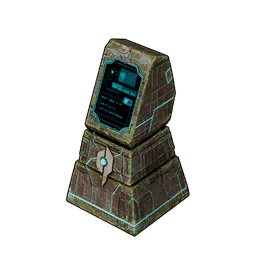
Joining a guild is the moment two people stop being visitors in each other's world and start co-owning it. Bases, the structures on them and the Pals working them belong to the guild rather than whoever placed them, while your inventory, your character level and your party Pals stay strictly yours. That split is what makes household co-op work: you can hand your partner the entire base workforce without handing them your gear. The friction point is storage — every regular chest in a guild base is open to guild members, so nothing you leave lying around is private.
| Thing | Shared with the guild | What it means in practice |
|---|---|---|
| Bases and everything built on them | Yes | Either player can build, dismantle and use every station |
Base Pals in the 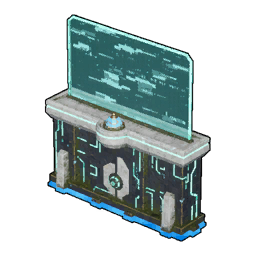 Palbox Palbox | Yes | Either player can reassign the workforce or pull a worker out to fight |
| Guild Chest contents | Yes | Deliberate shared storage — the household material pool |
| Regular chests inside a guild base | Yes | Guild members can open them, so this is not private storage |
| Your inventory and party Pals | No | Stays with your character, including on death |
| Your level, tech points and unlocks | No | Each player researches their own tech tree |
The Guild Chest is the piece to plan around, because it unlocks at Technology 41 and costs 50× Refined Ingot, 100× Paldium Fragment and 10× Ancient Civilization Parts — deep into the mid game, long after the point where two players start tripping over each other's materials. Until then, the usual fix is one agreed communal chest next to the crafting stations. Guild ranks, invites and the member cap are covered in the guide to creating and joining a guild.
 The Content That Actually Needs a Second Player
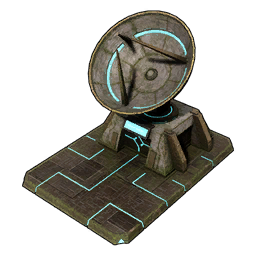
Raid bosses are the clearest argument for playing with someone else, and they are the strongest reason not to write co-op off just because it is not on one screen. You build a 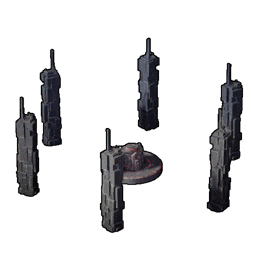 Summoning Altar — Technology 33, 100× Stone and 20× Paldium Fragment — feed it a slab, and fight something with raid-scaled HP on a timer that a solo player will usually lose to. Every one of them pays out Ancient Civilization Cores on a guaranteed roll, and cores are the material gating your best late-game crafts, so two people with a working raid rotation stop being short on them permanently.
| Raid boss | Level | Guaranteed cores | Why you want a second player |
|---|---|---|---|
| Bellanoir | 35 | 1-3× Ancient Civilization Core | The entry raid, and the earliest guaranteed Dark Skill Fruit: Apocalypse in the game |
 Bellanoir Libero Bellanoir Libero | 45 | 2-4× Ancient Civilization Core | Shifts element mid-fight and freezes anyone stacked in one spot |
 Blazamut Ryu Blazamut Ryu | 55 | 2-4× Ancient Civilization Core | Hits hard enough that somebody has to hold aggro off the damage dealer |
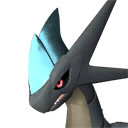 Xenolord Xenolord | 65 | 3-6× Ancient Civilization Core | Core payout jumps here — the best rate before the level 80 tier |
 Hartalis Hartalis | 70 | 4-7× Ancient Civilization Core | The hardest standard-tier fight and the last step before Ultra slabs |
Each of those clears also hands you the Ultra slab for its own level 80 version, which pays a flat 10× Ancient Civilization Core and 10× Training Crystal per run — the tier where a party stops being an optimisation and becomes a requirement. Walkthroughs for the two hardest are in the Xenolord (Ultra) guide and the Hartalis (Ultra) guide. If you would rather not fight inside a base full of breakable furniture, the map marks 16 raid summoning altar sites out in the world, and the 8 tower bosses are the other fights that get noticeably easier with someone splitting the arena.
 Bringing Pals Across From Your Solo Save
Your character does not transfer between worlds, but your Pals can, which softens the restart for whoever joins second. The Global Palbox is deliberately cheap and early — Technology 3, 3× Paldium Fragment, 5× Wood and 15× Stone — and it stores a Pal's data so you can rebuild it in another world without losing the original. A world will not accept two copies of the same stored Pal, so it moves Pals rather than duplicating them, and on a dedicated server the host controls whether loading in and saving out are allowed at all.
That makes it the practical answer to starting from scratch on a partner's world. You cannot bring your level, your tech or your gear, but you can bring the bred team you spent a week on — and given how much of Palworld's power sits in IVs, passives and condensing, that covers most of the gap on day one.
Will Splitscreen Ever Be Added?
Nothing has been announced, and there is no sign of it in the game's files or menus. Every major update since 1.0 has gone into content and online play — new regions, raid tiers, server fixes — rather than local play, and splitting one machine's rendering budget across two views of an open world with a full base simulation running is a much bigger engineering job than it looks from the couch. Treat couch co-op as unavailable rather than delayed, plan around a second device, and if it ever does arrive it will be an announcement you cannot miss. The only couch in Palworld right now is the one you craft at Technology 38 and put in your base.
Summary
There is no splitscreen, no couch co-op and no two-controller mode in Palworld on any platform. Two people in the same house need two devices, two copies and two accounts, then either an invite code for a 4-player session hosted from one person's save or a dedicated server for a persistent world holding up to 32. Crossplay means the devices do not have to match, a guild pools bases and base Pals while leaving inventories alone, and the Global Palbox is the only thing that carries progress across from a solo save. Once you are set up, point the pair of you at raid bosses — that is the content the game clearly built for more than one person.
Related Guides
- All Palworld guides
- Palworld interactive map
- Palworld Multiplayer Guide: Co-op, Crossplay, and Servers
- How to Create and Join a Guild, Ranks, and Limits
- How to Update Your Palworld Server and Fix Version Mismatch
- How to Change World Settings: All Options and Defaults
- Palworld PC System Requirements: Minimum and Recommended
- How to Back Up Save Data: Steam, Xbox, and Servers
- All raid bosses and their rewards
- Best Base Locations in Palworld 1.0