Palworld PC System Requirements: Minimum and Recommended
Palworld's minimum spec is a GTX 1660 and 16 GB of RAM, with an SSD demanded in both columns. Here are the full minimum and recommended specs, the frame rates each tier lands, why active Pals move your performance, and where controller, ultrawide and DLSS support stand.
Palworld asks for a GTX 1660 and 16 GB of RAM at the bottom end, and it asks for an SSD in both columns — that second line is the one people skip and then wonder why the world hitches. This guide has the full minimum and recommended spec tables, the frame rate each tier realistically lands, why the store page warns that performance moves with your active Pal count, and exactly where controller, ultrawide, DLSS and upscaling support sit right now.
 Palworld Minimum and Recommended PC Specs
Both columns run on DirectX 11 and both want the game installed on an SSD, so the real gap between them is memory and GPU: 16 GB to 32 GB of RAM, and a GTX 1660 to an RTX 3060 Ti or an RX 6700 XT. The processor step is generational rather than a core-count jump, and storage does not move at all — 40 GB either way. The recommended OS is listed as Windows 11, but Windows 10 64-bit is still the floor and still supported.
| Component | Minimum | Recommended |
|---|---|---|
| Operating system | Windows 10 (64-bit) | Windows 11 (64-bit) |
| Processor | Intel Core i5-9400F | Intel Core i5-12400 / AMD Ryzen 5 5600X |
| Memory | 16 GB RAM | 32 GB RAM |
| Graphics | GeForce GTX 1660 | GeForce RTX 3060 Ti / Radeon RX 6700 XT |
| DirectX | Version 11 | Version 11 |
| Storage | 40 GB available space | 40 GB available space |
| Drive type | SSD required | SSD required |
| Network | Broadband internet connection | Broadband internet connection |
The footnote bolted onto both columns is the interesting part: performance varies with how many Pals you have active. Nothing else on the sheet scales with how you play — a 40 GB install is 40 GB whether you are level 5 or level 60 — but a base running fifteen workers is nowhere near the load of an empty one. That is the number you actually control, and it gets its own section below. If you want the official sheet straight from the store, it is on the Palworld Steam store page.
 What Frame Rate Each Tier Gets You
Pocketpair publishes the spec sheet but not frame-rate targets, so treat the table below as the ballpark players land on rather than a promise — and note that it assumes open terrain, not the middle of a raid on a fully built base. On minimum hardware you are choosing between two profiles: 1080p on high at around 30 FPS, or dropping to low/medium and holding 60. Recommended hardware is the point where 60 FPS stops being a settings negotiation and 1440p becomes realistic.
| Hardware tier | Resolution | Settings | Rough result |
|---|---|---|---|
| Minimum spec | 1080p | High | Around 30 FPS |
| Minimum spec | 1080p | Low to Medium | Around 60 FPS |
| Recommended spec | 1080p | Epic | A steady 60 FPS |
| Recommended spec | 1440p | Medium | A steady 60 FPS |
If you are on minimum hardware and want the smoother option, take the settings hit rather than the resolution hit. Palworld is a game where you read threats at distance — a Relaxaurus cresting a hill during a base raid, an alpha in the fog — and 1080p with clean readability beats a blurry upscale that saves you shadow quality. A dedicated graphics card is effectively assumed here; integrated graphics are not on the sheet at all.
 Why Active Pals Decide Your Frame Rate
Your Palbox is the performance dial the spec sheet is warning you about. Work Pal slots track your base level one for one up to 15, and you unlock a second base at base Lv. 8, a third at Lv. 15 and a fourth at Lv. 24 — the full ladder is in our base level rewards and requirements guide. At the cap that is 60 Pals working across four camps, each one pathfinding, hauling and animating at a station, plus the five in your party. Every frame-rate complaint in this game traces back to that number, and the cheapest fix is always to deploy fewer workers rather than to lower a slider.
| Load source | Pals involved | What it costs you |
|---|---|---|
| Work Pals at one base | Up to 15 | Each one pathfinds, hauls and runs a work animation — the biggest dial you personally control |
| All four bases at cap | 60 | Bases keep producing while you are elsewhere, and walking back in loads every worker at once |
| Your party | 5 slots, 1 deployed | Only one Pal is out at a time, so your squad is the cheapest part of the equation |
| Base raid herd | 99 possible attackers | A herd lands on top of your 15 workers and every defense you built — the real spike |
| Summoning Altar raid | Boss up to Lv. 80 plus four players' Pals | Raid-scaled HP means a long fight with everything on screen the whole time |
| Dedicated server | Up to 32 players | Their base Pals tick on the server hardware, not on your PC — unless you are the one hosting |
 Base Raids Are the Spike, Not the Baseline
99 different Pals can turn up in a base raid, spread across five herd tiers that scale from the Herd of Starving Wild Pals up to the Herd of Extremely Ferocious Wild Pals. Size matters more than count here: 31 of those 99 are size L or XL, and the eight XL raiders below are the ones that arrive with a body big enough to shove your workers around while your defenses fire at them. If your PC is comfortable everywhere except during raids, that is normal — it is the one scripted moment where a full base and a full herd occupy the same patch of ground.
| XL raider | Herd tiers it joins | Level range | Where it raids |
|---|---|---|---|
| Relaxaurus | 3 of 5 | Lv. 10 to 39 | Desert, Grasslands |
 Mammorest Mammorest | 1 of 5 | Lv. 24 to 26 | Grasslands |
 Broncherry Broncherry | 1 of 5 | Lv. 35 to 39 | Forest |
 Broncherry Aqua Broncherry Aqua | 1 of 5 | Lv. 35 to 39 | Forest |
 Mammorest Cryst Mammorest Cryst | 1 of 5 | Lv. 35 to 39 | Snowfields |
 Relaxaurus Lux Relaxaurus Lux | 1 of 5 | Lv. 23 to 26 | Desert |
 Suzaku Suzaku | 1 of 5 | Lv. 16 | Mount Obsidian |
 Jormuntide Ignis Jormuntide Ignis | 1 of 5 | Lv. 13 to 15 | Yamishima |
Relaxaurus is the one to plan around because it shows up in three of the five herd tiers and across a 30-level band, which means it can hit a low-level Grasslands camp and a maxed Desert camp alike. Everything else on this list is a single-tier, single-biome visitor, so where you settle decides which XL body you meet — one more reason to read our best base locations guide before you plant a fourth Palbox.
 Altar Raids and the Ultra Bosses
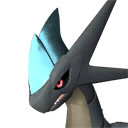
Summoned raids are the other heavy scene, and they are heavy for a different reason: the fight lasts, so whatever your PC is doing at that moment it does for several minutes straight. Each boss has a base summon level and a tier 2 version, and every tier 2 lands at Lv. 80 regardless of which slab you feed the Summoning Altar. Four players plus their deployed Pals plus a boss with raid-scaled HP is the single busiest thing you can put on screen in Palworld.
| Raid boss | Summon level | Tier 2 level | Notes |
|---|---|---|---|
 Bellanoir Bellanoir | Lv. 35 | — | The introductory altar fight and the only one with no tier 2 slab |
 Bellanoir Libero Bellanoir Libero | Lv. 45 | Lv. 80 | Same arena, far more damage — the usual first wall for a group |
 Blazamut Ryu Blazamut Ryu | Lv. 55 | Lv. 80 | XL body in a confined arena, so the worst case for a minimum-spec PC |
| Xenolord | Lv. 65 | Lv. 80 | Beat it with our Xenolord Ultra raid guide |
 Hartalis Hartalis | Lv. 70 | Lv. 80 | Highest summon level of the set — see the Hartalis Ultra raid guide |
 40 GB, and Why It Has to Be an SSD
Forty gigabytes is not a big install by 2026 standards, and it does not grow with your save. What it holds is a single continuous open world plus a very large catalogue of things that have to be loaded on demand — every Pal model, every buildable, every icon in the tech tree. The counts below are what that install is carrying.
| What the install holds | Count |
|---|---|
| Pals in the Paldeck | 288 |
| Items | 1,962 |
| Buildable structures | 485 |
| Technologies | 588 |
| Weapons | 145 |
| Armor pieces | 128 |
| Alpha bosses in the world | 90 |
| Fast travel points on Palpagos | 137 |
That catalogue is why the SSD line sits in the minimum column rather than the recommended one. The world streams continuously — you glide across a biome border and the game is pulling in terrain, Pal models and base structures while you move. On a mechanical drive that shows up as texture pop-in, stutter when you fast travel, and long hangs when a raid spawns a herd you have not seen yet. It is the one requirement on the sheet where there is no settings slider to compensate. Browse what all of it looks like on our full structures list and the technology tree.
 Can Your PC Run Palworld? Quick Checklist
Run down this list before you buy. Four of the five lines are hard gates — if you fail one, no settings change rescues you — and the fifth only matters if you intend to play with other people. If you clear all five and still hit stutter, the problem is almost certainly your base Pal count rather than your hardware:
- 64-bit Windows 10 or later. 32-bit is not supported at any tier.
- A dedicated GPU at GTX 1660 level or better, with DirectX 11 support. Integrated graphics do not appear anywhere on the sheet.
- 16 GB of RAM. 32 GB if you plan to host a server on the same machine you play on.
- 40 GB free on an SSD. The drive type is a requirement, not a suggestion.
- A broadband connection for co-op, dedicated servers and crossplay. Solo play does not need it.
Controller, Ultrawide, DLSS and Upscaling Support
Palworld's peripheral and display support is broad in every direction except upscaling, where it is oddly one-sided. Controllers are fully covered, ultrawide is properly supported rather than pillarboxed, and DLSS is available — but AMD and Intel users get no native equivalent, which is the single most annoying gap on this list if you are trying to squeeze frames out of a minimum-spec machine.
| Feature | Status | What it means for you |
|---|---|---|
| Xbox controller | Full support | Works out of the box, with remappable controls |
| PlayStation controller | Full support | Same — mapping is yours to change in the options menu |
| Ultrawide monitors | Supported up to 21:9 | 34-inch and wider displays fill the screen properly |
| NVIDIA DLSS | Available | Requires an NVIDIA card with ray-tracing capability |
| AMD FSR | No native support | No in-game option — you would have to go through driver-level tools |
| Intel XeSS | No native support | Same situation as FSR |
Controller Support on PC
Both Xbox and PlayStation pads have full support on PC, including the prompts, and the control mapping is editable so you can move the sphere throw or the grapple wherever your thumb expects it. This matters more than usual in Palworld because you are cycling between a weapon, a Pal Sphere and a partner skill in the same fight — the default layout puts three different verbs on the shoulder buttons, and it is worth ten minutes in the options menu on day one. Keyboard and mouse remains the better choice for aiming, and inventory actions like dropping items and Pals differ between the two input schemes.
Ultrawide Monitors
Palworld runs at aspect ratios up to 21:9, so a 34-inch ultrawide gets a genuinely wider view rather than a stretched 16:9 image. The 1.0 patch also improved how field of view behaves on those resolutions, which cleaned up the fish-eye effect people were seeing at the edges while gliding. If you are on an ultrawide and something looks off after an update, check the Palworld patch notes archive before you start fighting your config files — display handling has been touched more than once.
DLSS, FSR and XeSS
DLSS is the only native upscaler in the game. It uses NVIDIA's hardware to render at a lower internal resolution and reconstruct the image, which is exactly the trade a GTX-era or entry-RTX card wants — except that it needs a ray-tracing-capable NVIDIA GPU, so the GTX 1660 on the minimum line cannot use it. AMD's FSR and Intel's XeSS have no in-game toggle at all. If you are on a Radeon card at the minimum tier, your levers are resolution and the settings preset, and the Pal-count advice above does more for you than any of them.
 Co-op and Dedicated Servers Change the Math
Multiplayer is where the recommended spec earns its 32 GB. An invite-code co-op session is your own world with the doors open, so your PC is the one simulating everybody's Pals — four players each with a deployed Pal, in a base that already has fifteen workers running. A dedicated server is a separate free program with its own copy of the world, so that cost moves off your machine and onto whatever is hosting. Both routes support crossplay across Steam, Xbox, PlayStation and Mac; the full breakdown lives in our Palworld multiplayer guide.
| Setup | Players | Who does the work | Best for |
|---|---|---|---|
| Solo world | 1 | Your PC, and only your own Pals | Playing the campaign at your own pace |
| Co-op session | Up to 4 | The host's PC simulates everything | A small group where one person has the strong machine |
| Dedicated server | Up to 32 | A separate program, on its own hardware | Persistent worlds and overnight base production |
| Self-hosted server | Up to 32 | Your PC runs the server and the game at once | Only worth it with 32 GB of RAM and headroom to spare |
That last row is where people get burned. The dedicated server tool is a separate download with its own app ID — 2394010 — and its own version number that does not move when your game patches, so running both on one machine means two processes competing for the same memory and a second thing to keep updated. When the group suddenly cannot connect after an update, that mismatch is usually why, and the fix is in our server update and version mismatch guide.
The Short Answer
A GTX 1660, 16 GB of RAM and 40 GB on an SSD gets you into Palworld at 1080p, somewhere between 30 and 60 FPS depending on how far you push the preset. An RTX 3060 Ti or RX 6700 XT with 32 GB holds 60 FPS at 1080p Epic and at 1440p Medium. Controllers, ultrawide and DLSS are all covered; FSR and XeSS are not. And whatever tier you land on, the biggest single lever you own is the number of Pals working in your bases — 60 across four camps at the cap, plus a raid herd of up to 99 possible attackers on top.
Related Guides
- All Palworld guides
- Palworld interactive map
- Palworld Multiplayer Guide: Co-op, Crossplay, and Servers
- How to Update Your Palworld Server and Fix Version Mismatch
- All Base Level Rewards and Requirements: Lv. 1 to 35
- Best Base Locations in Palworld 1.0
- Palworld Patch Notes: All Updates and Version History
- Palworld 1.0 Update: All New Content and Where to Start
- Palworld Online Release Date, Platforms, and Details